November 26, 2026
Sheet Metal Quoting Software: What a Fab Shop Should Expect
15 min read
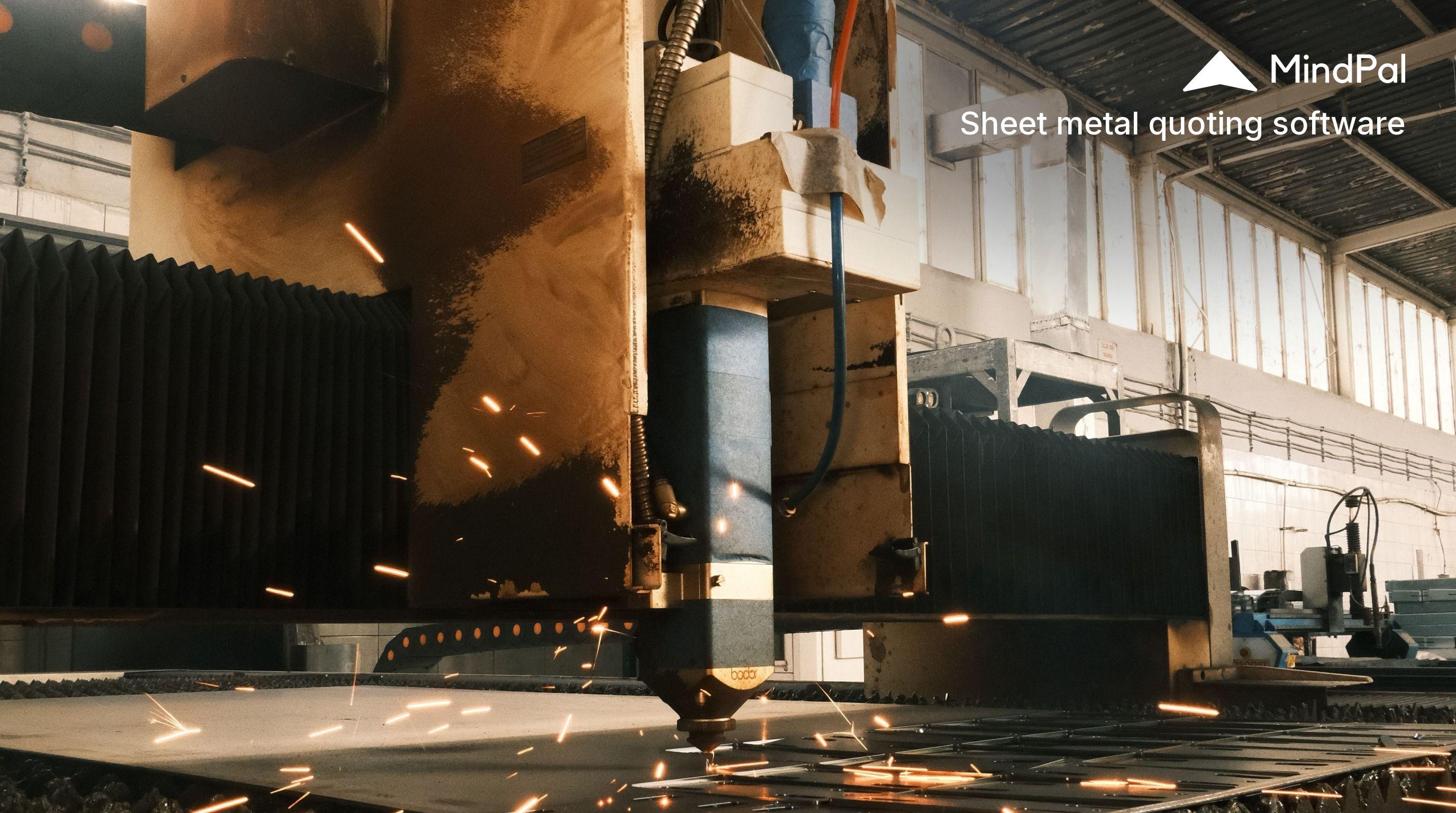
A sheet metal RFQ rarely arrives as one clean file. It is a PDF print, a STEP model that may or may not include a flat, a DXF somebody exported last year, and an email that says "same as last time, but in stainless." The quote has to come out of that pile with a price your shop can live with.
This guide covers what sheet metal quoting software has to do for a fab shop that runs lasers, punches and press brakes, how it differs from machine-shop software, and what to check before you buy. For the method itself, step by step, see how to quote sheet metal fabrication. For vendor-by-vendor tables, see the 13-tool manufacturing quoting software comparison.
The short answer
Sheet metal quoting software helps a fab shop turn a flat pattern or 3D model into a cost and a customer price. It reads DXF, STEP or PDF files, develops the flat blank, costs material from a nest, and applies the shop's own rates for cutting, bending and the operations that follow.
The good ones do that the same way every time, show the estimator every line, and leave the final call with a person.
What it has to do that a spreadsheet does not
Most fab shops already have a quoting spreadsheet. It does the arithmetic well. What it cannot do is look at the part.
A spreadsheet waits for someone to type in cut length, pierce count, bend count, blank size and parts per sheet. Getting those numbers is the slow part: opening the model, unfolding it, measuring, counting holes, guessing the nest. That is where two estimators in the same shop end up with two different prices, and where a busy week turns into a quoting backlog.
Sheet metal quoting software is worth paying for when it takes that measuring off the desk:
- It reads the geometry and the drawing, not only a typed list of dimensions.
- It gets to a flat pattern, or flags when it cannot.
- It counts the things that drive time: cut length, pierces, bends, hardware.
- It applies your rates per work center, not one blended number.
- It shows the breakdown, so the estimator can check and change it.
The Fabricator, the trade magazine of the Fabricators & Manufacturers Association, makes the same point in its guide to estimating basics in custom metal fabrication: standard formulas per department, used with a department sell rate, give consistent estimates no matter who is quoting. Software is a way to make those formulas run on the actual part.
Files and geometry: DXF, STEP and the flat pattern
A fab quote starts from the flat blank, so the file question matters more here than in a machine shop.
- DXF is the usual 2D cutting file. It is an openly published Autodesk exchange format, described by the Library of Congress as a plain-text drawing interchange format. A flat-pattern DXF gives the outline and holes directly, but it says nothing about bends unless bend lines are drawn.
- STEP (ISO 10303-21) is the common neutral 3D format, described by the Library of Congress here. From a bent STEP model, the software has to unfold the part to get the blank, using a bend allowance or K-factor.
- PDF prints carry the material, thickness, finish, hardware callouts, tolerances and revision. Many RFQs still arrive as a PDF only, or as a PDF plus one of the files above.
Ask any vendor what happens when the files disagree, when the STEP has no flat, or when all you get is a scanned print. A tool that only prices a perfect flat DXF will miss a lot of the work a real shop quotes. For what each file does and does not tell you, see quoting from a DXF, STEP or PDF.
Nesting, yield and material
Material should come from the nest, not from the part's outline. Sheet price divided by parts per sheet, on the sheet size you actually buy, already includes kerf, spacing, edge margins and the skeleton.
When you look at software, check:
- Whether it nests the parts (or reads your nesting output), or only multiplies part area by a scrap percentage.
- Whether you can set your own sheet sizes, grades and thicknesses.
- Whether material prices are yours, and easy to update when the mill price moves.
- How it splits a sheet between several parts in a mixed nest.
- Whether remnants are credited, and whether you can turn that off.
The full method is in how to quote sheet metal fabrication. Yield and remnant rules are covered in nesting yield, scrap allowance and material cost.
Cutting, forming and downstream operations
This is where a fab-shop tool earns its place.
Cutting. Laser, plasma and waterjet time is cut length divided by cutting speed, plus a time for each pierce, plus rapids and handling. A punch is hits and tool changes. The software should count those from the geometry and use the speeds you run, not a brochure figure. We break this down in how to estimate laser cutting cost.
Forming. Press-brake cost is a setup per job plus time per bend, with part size and flips making a real difference. A tool that only prices the cut will lose money on formed parts. See how to estimate press brake bending cost.
Everything after. Hardware insertion, welding, finishing, outside processes, inspection and packaging. Some of these will always need a person to look at the print. The software should give each its own line, so nothing disappears.
Rates. Every line should be time multiplied by the rate for that work center. If you have not built those rates yet, start with how to calculate a shop rate.
How this differs from CNC and machine-shop quoting software
The idea is the same: read the RFQ, build a cost, add margin, send a quote. The geometry is not.
Machine-shop software prices stock size, material removed and cycle time on a mill or lathe. Sheet metal software prices a flat blank, a nest, cutting time and forming time. The files are different too: fab work leans on DXF flats and PDF prints; machining leans on STEP models and tolerance-heavy drawings.
If you run both kinds of work, check that one tool handles both properly, or be honest that you are buying for one side of the shop. The machine-shop version of this guide is job shop and machine shop quoting software, and the CNC method is how to quote a CNC machining job.
The U.S. Census Bureau groups much of this work under NAICS 332322, Sheet Metal Work Manufacturing, separate from machine shops. Software vendors often blur the two. Your quoting tool should not.
Where MindPal Forge fits
MindPal Forge is MindPal's quoting and estimating product for US and Canadian metal fabrication shops and machine shops that quote custom parts from customer drawings.
You drop in what the customer sent: PDF, DXF, STEP, IGES, STL, scans, photos or a ZIP pack. Forge reads the documentation and the geometry, measures the parts, and calculates a cost from your machines, materials and rates. The estimator reviews the breakdown, adjusts what needs adjusting, and sends the quote.
To see it on a real part, upload a DXF, STEP or PDF to the instant quote demo. There is no signup. The demo uses sample rates, so treat it as a test of the read and the breakdown, not as your sell price. To run Forge on your own rates, talk to us about a shop pilot.
Forge is not the only option. For a fair shortlist, see MindPal Forge alternatives and the 13-tool comparison.
What to check before you buy
Bring three or four of your own recent RFQs to every demo, including one messy one. Then ask:
- Does it read what we actually receive? PDF-only prints, STEP without a flat, a DXF with no bend lines, a ZIP of mixed files.
- Does it get the flat pattern right? Compare its blank size to the one your programmer used.
- Where does material come from? A real nest, or a percentage on part area.
- Can we load our own rates per work center? Laser, punch, brake, weld and finishing should not share one number.
- Can the estimator see and change every line? If you cannot see why a price is what it is, you cannot defend it to a customer.
- How does the quote leave the building? PDF, email, export, or retyping into another system. Ask the vendor to show it, not describe it.
- What happens to our drawings? Who can see them, and whether they are used to train anything.
- What does a pilot look like? Run it on jobs you already quoted and compare.
The Bureau of Labor Statistics describes a cost estimator's job as reading blueprints, identifying what drives cost, and keeping records of estimated against actual costs. Good software makes the first two faster. The third — checking quotes against how jobs really ran — is still how a shop keeps its rates honest.
Frequently asked questions
What is sheet metal quoting software?
It is software that turns a sheet metal RFQ into a cost and a price. It reads the customer's files, gets to a flat pattern, costs material from a nest, and applies your rates for cutting, bending, hardware, welding and finishing, then lets an estimator review the breakdown before the quote goes out.
Can sheet metal quoting software read a DXF or STEP file?
Most tools in this category read DXF, and many read STEP. Check what happens with a bent STEP model that has no flat, a DXF without bend lines, and a PDF-only print, because those are common in real RFQs. MindPal Forge accepts PDF, DXF, STEP, IGES, STL, scans, photos and ZIP packs.
How is it different from machine shop quoting software?
Machine-shop software prices stock, material removal and cycle time on mills and lathes. Sheet metal software prices a flat blank, a nest, cutting time and press-brake time. The rates, files and cost drivers are different, so check a tool on the kind of work you actually do.
Does the software replace an estimator?
No. It removes the measuring and the arithmetic. An estimator still decides whether a part is formable on your brakes, whether the nest is realistic, what lead time you can keep, and what price the customer gets.
Can it use our shop rates and material prices?
It should. A quote built on someone else's default rates is a guess. Look for per-work-center rates, your own sheet sizes and material prices, and an easy way to update them. If you need to build the rates first, see how to calculate a shop rate.
Is there a way to try MindPal Forge on a real part?
Yes. You can upload a DXF, STEP or PDF to the instant quote demo with no signup and see an itemized estimate. It uses sample rates, so it shows how Forge reads and breaks down the part, not your shop's sell price.
Share this blog post via
Read other articles
1 / 0
SOLUTIONS
CLIENTS
INSIGHTS
This site is protected by reCAPTCHA and the Google Privacy Policy and Terms of Service apply.
Copyright © MindPal 2026. All Rights Reserved.