July 27, 2026
How to Use AI to Improve Your Resume Without Getting Flagged by Recruiters
10 min read
You have heard the advice. "Use AI to write your resume faster." So you opened ChatGPT, pasted in the job description, and asked it to write your resume from scratch. The result looked polished. Complete sentences. Good formatting. Zero typos.
And then nothing happened.
No calls. No emails. Maybe one automated rejection two days after you applied.
Here is what most career advice skips over: the problem is not that you used AI. The problem is how you used it. There is a version of AI resume help that works and a version that actively hurts your chances. The difference comes down to one thing.
In this article, you'll discover:
- Why AI-written resumes get flagged and what recruiters actually spot
- The key difference between AI writing your resume and AI improving it
- A step-by-step method to use AI on your resume the right way
- A side-by-side comparison of what gets rejected versus what gets calls
- Real before/after bullet point examples
- 5-point checklist before you hit apply
- Answers to the most common questions about AI and resume screening
Why AI-Written Resumes Get Flagged
Recruiters are seeing more AI-generated resumes than ever and they are getting better at spotting them. The tells are consistent, and they show up whether or not the candidate meant to deceive anyone.
What are they actually spotting?
- Generic language. Phrases like "results-driven professional with a proven track record" appear in thousands of AI-generated resumes. Recruiters read these every day. They stop reading.
- No personal voice. AI writing sounds like AI writing. It is smooth, neutral, and says very little specific to you, your work, or your actual results.
- Bullet points with no numbers. AI tends to write vague bullets: "Managed a team and improved performance." Real resumes say: "Led a 4-person team that reduced customer response time from 48 hours to 6 hours."
- Perfect formatting with hollow content. A resume that looks great but says nothing memorable gets screened out fast by software and by humans.
The good news: none of this means you should stop using AI. It means you need to use it differently.

AI Writing vs AI Improving: What Is the Difference?
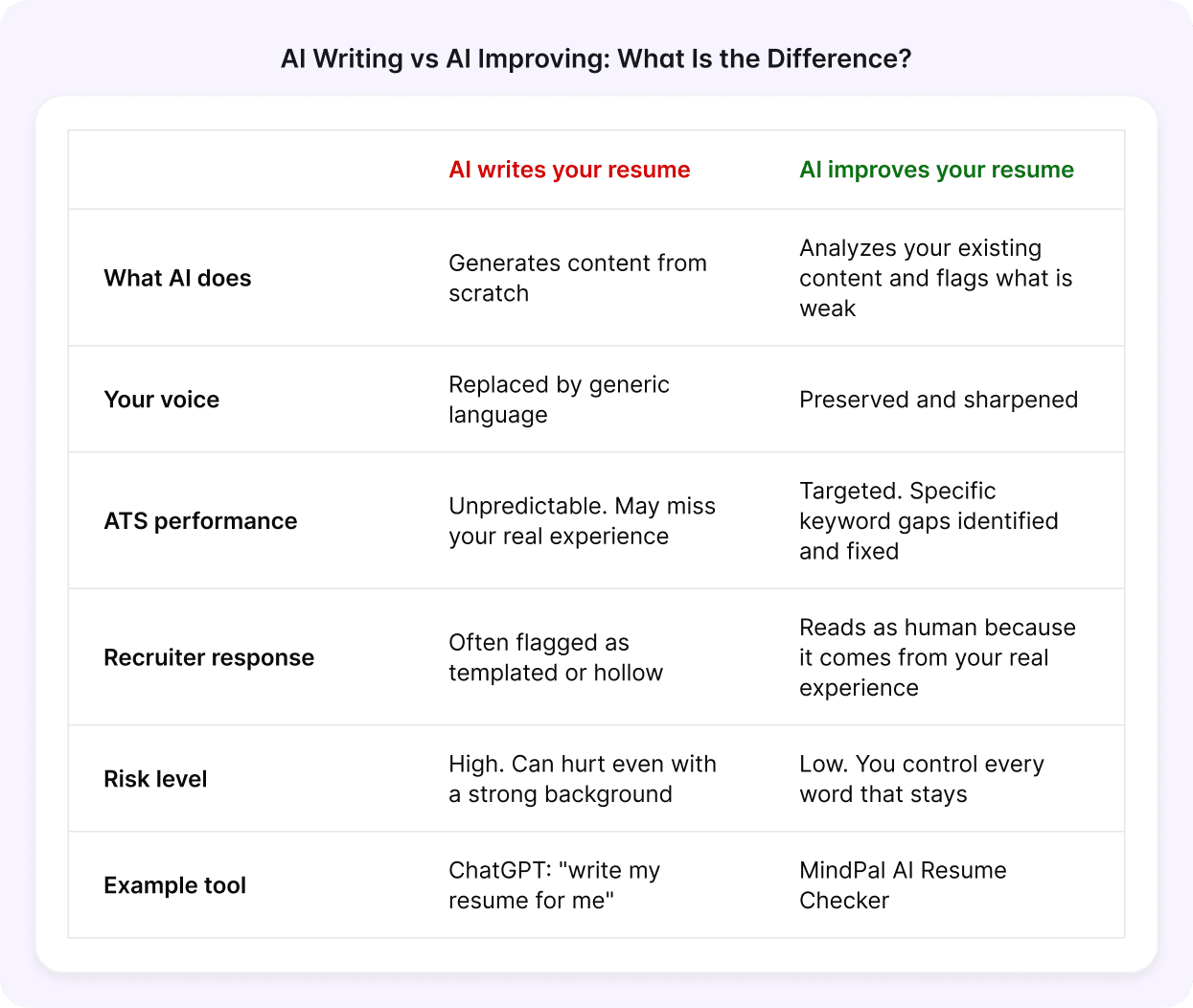
This is the distinction that most job seekers miss. The table below shows what happens in each approach:
| AI WRITES YOUR RESUME | AI IMPROVES YOUR RESUME | |
| What AI does | Generates content from scratch | Analyzes your existing content and flags what is weak |
| Your voice | Replaced by generic language | Preserved and sharpened |
| ATS performance | Unpredictable, may miss your real experience | Targeted, specific keyword gaps identified and fixed |
| Recruiter response | Often flagged as templated or hollow | Reads as human because it comes from your real experience |
| Risk level | High, can hurt even with a strong background | Low, you control every word that stays |
| Example tool | ChatGPT: "write my resume for me" | MindPal AI Resume Checker |
The right column is what actually works. AI as a coach, not a ghostwriter.
How to Use AI to Improve Your Resume the Right Way
Here is the process that gets results without getting flagged.
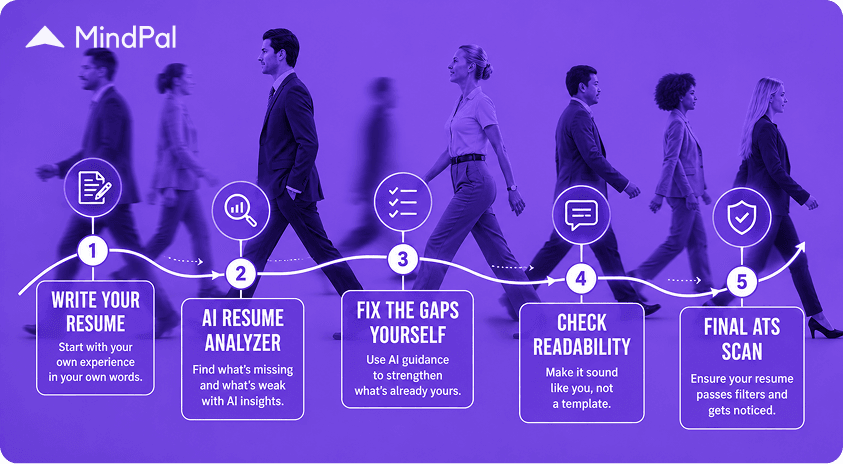
Step 1: Write your resume yourself first
Start with your own words. Do not worry about perfection. List your jobs, responsibilities, and anything you can point to as a result. Even rough notes work. The goal is to get your actual experience down in your own voice.
Step 2: Run it through an AI resume analyzer
Use an AI-powered resume checker, not to rewrite your resume, but to identify what is missing. A good AI resume analyzer tells you:
- Which keywords from your target job description are missing from your resume
- Which bullet points are weak and exactly why
- Whether your resume will pass ATS filters for your target role
- What your overall resume score is against similar candidates
This is the step most job seekers skip. Running an AI analysis first takes five minutes and shows you exactly what is costing you interviews.
Step 3: Fix the gaps yourself using AI guidance
Now use the AI feedback to improve specific sections. You are not asking AI to write for you. You are using its analysis to improve what you already have.
For example:
- AI flags: "Missing keyword: stakeholder management"
- You respond: You actually did manage stakeholders. You add a specific bullet that includes your real experience and the missing keyword.
The resume stays yours. The AI just told you what was invisible.
Step 4: Check readability
Read your final resume out loud. If any sentence sounds like it came from a template, rewrite it in your own words. Simple rule: if you would not say it in an interview, do not write it on your resume.
Step 5: Run a final ATS scan
Before you apply anywhere, check that your revised resume passes filters for your target role. Paste in the job description and see if your keyword match has improved. Most people are surprised how many relevant keywords their resume is missing and how easy they are to add once you know what they are.
What This Looks Like in Practice
Here is a real example of the difference.
Before (AI-written from scratch):
"Demonstrated strong leadership skills by managing a cross-functional team and driving operational improvements that resulted in enhanced efficiency."
After (human-written, AI-improved):
"Led a cross-functional team of 6 across product and support to cut average ticket resolution time from 5 days to 1.5 days, reducing customer churn by 18%."
The second version has your voice, your numbers, and the keywords ATS systems scan for. It would never be flagged because it is not AI-generated. It is your experience, made visible.
5-Point Checklist Before You Apply
- Every bullet point includes at least one specific number or outcome
- You have read the job description and confirmed your resume uses its language naturally
- No sentence starts with "I" and no phrase sounds like a template
- You have run a keyword scan against the job description and closed the obvious gaps
- A friend or colleague can read it and immediately understand what you do
Frequently Asked Questions
Does using AI on your resume get you flagged?
Using AI to write your resume from scratch carries real risk, especially if the output uses generic language that recruiters recognize immediately. Using AI to analyze and improve your resume does not carry the same risk, because your content stays original.
Can recruiters detect AI-written resumes?
Many can. Experienced recruiters recognize patterns in AI-generated writing: vague language, no specific numbers, and a neutral tone that sounds like it belongs to no one. Some companies also use AI detection software on applications.
Is it okay to use ChatGPT to improve my resume?
ChatGPT can help you brainstorm bullet points or rephrase awkward sentences. The key is to start with your own content and use it as an editor, not a writer. A dedicated AI resume checker does more, it analyzes your resume against actual job descriptions and ATS requirements, which general AI tools do not do.
What is the best AI resume checker in 2026?
The best AI resume checker gives you a keyword gap analysis, ATS compatibility score, and specific feedback on each section of your resume. MindPal does all three, and your first analysis is free with no sign-up required.
How do I know if my resume passes ATS?
Upload your resume and paste in the job description you are targeting. An AI resume analyzer will show you your keyword match score, formatting issues that block ATS parsing, and the specific gaps to close before applying.
Why does my resume look good but still get rejected?
Visual formatting is not what ATS systems read. A resume that looks polished can still fail ATS parsing if it uses tables, graphics, unusual fonts, or misses the keywords from the job description. An AI resume analyzer checks both formatting and content.
Use AI the Way That Actually Works
The job seekers who get more interviews are not the ones who let AI write their resume. They are the ones who use AI to see what their resume is missing, then fix it themselves.
Check your resume score for free at MindPal.
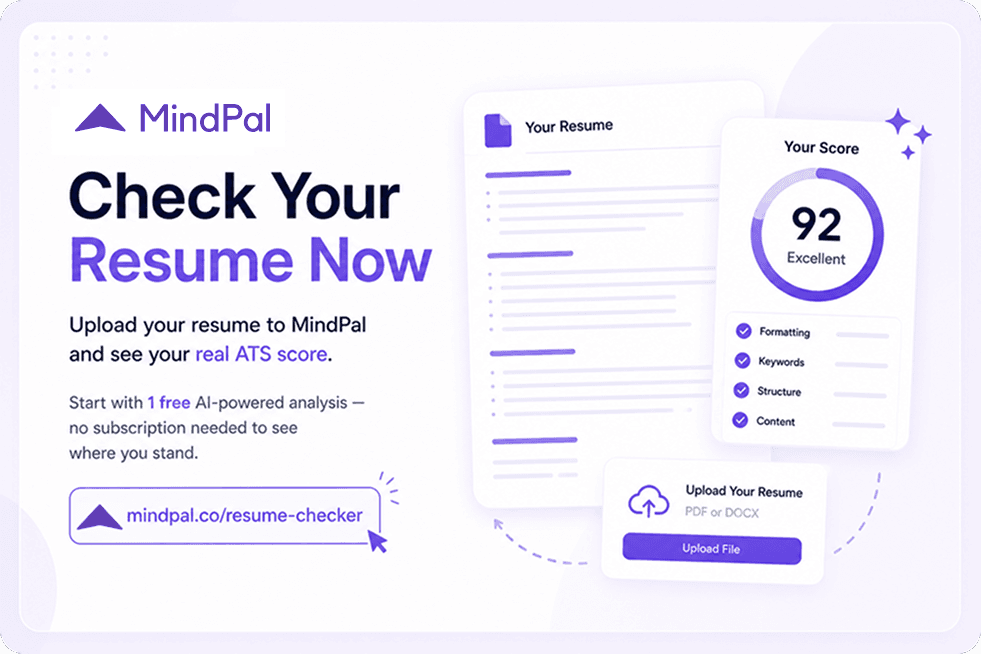
Run a Free Resume Check Before You Apply
Upload your resume to MindPal Resume Checker at mindpal.co/resume-checker. Your first AI analysis is free.
Your resume is private and secure. Start with 1 free AI analysis.
Disclaimer: All product names are property of their respective owners. Informational purposes only. Data: MindPal Q1 2026.
Olga Nazarenko,
UX UI Designer,
MindPal.co
Share this blog post via
Read other articles
1 / 0
FOR BUSINESS
Manufacturing for construction
Recruitment
FOR INDIVIDUALS
SOLUTIONS
This site is protected by reCAPTCHA and the Google Privacy Policy and Terms of Service apply.
Copyright © MindPal 2026. All Rights Reserved.